Data Catalog & Semantic Discovery
The VDA Data Catalog offers unified discovery across enterprise databases, data warehouses, object stores, and event streams. It combines technical schema metadata with semantic vector indexing and AI-driven column intelligence.
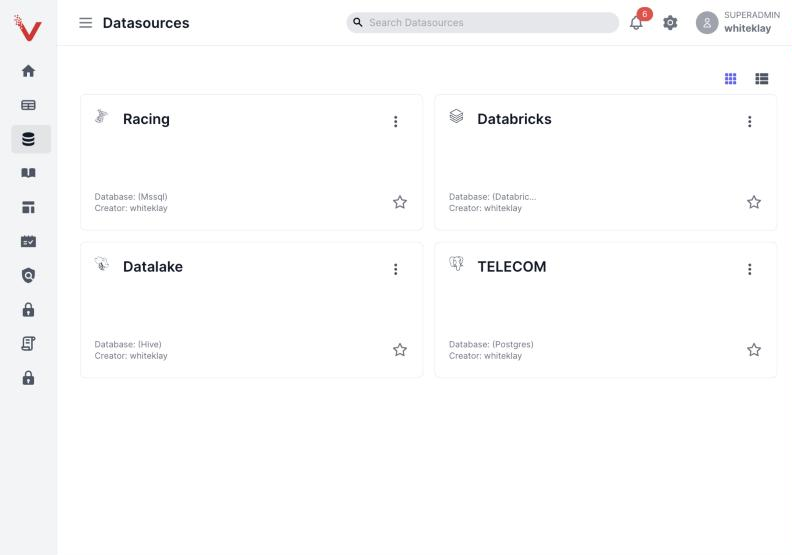
Discovery starts from your connected datasources, shown as cards with the connector type for each:
1. Searching the Catalog
VDA provides two complementary search modes via the top search bar:
Semantic / Natural Language Search
Powered by deep vector representations (Alibaba-NLP/gte-multilingual-base in Qdrant), semantic search allows you to locate assets even if you do not know the exact technical table or column names: - "Customer loan default risk indicators" - "Daily credit card merchant settlement" - "General ledger trial balance records"
Technical / Keyword Search
Matches exact or prefix names of databases, schemas, tables, and columns:
- transactions
- retail_banking.accounts
- national_id
┌────────────────────────────────────────────────────────────────────────┐
│ 🔍 Search datasets, columns, glossaries (e.g. "customer loans")        │
└────────────────────────────────────────────────────────────────────────┘
  Filter by: [Datasource: Oracle Core ▼] [Schema: RETAIL_PROD ▼] [Tag: PII ▼]
2. Navigating Search Results
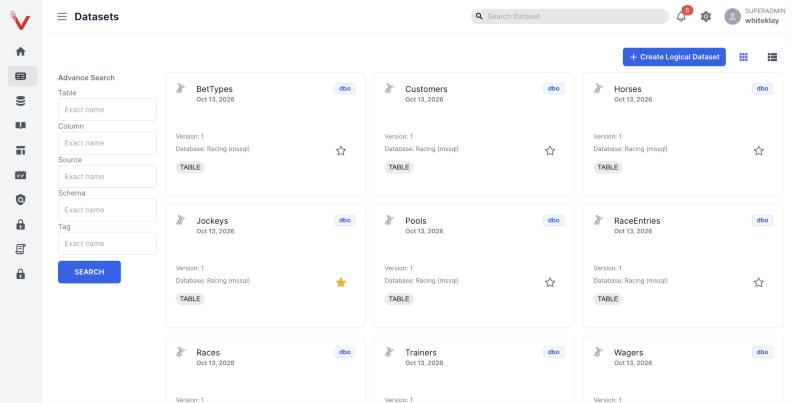
Search results present rich contextual cards displaying:
1. Fully Qualified Name (FQN): datasource.database.schema.table
2. Business Description: Automatically generated or curated summary of the dataset's purpose.
3. Column Count & Row Estimates: Scale metrics indicating dataset volume.
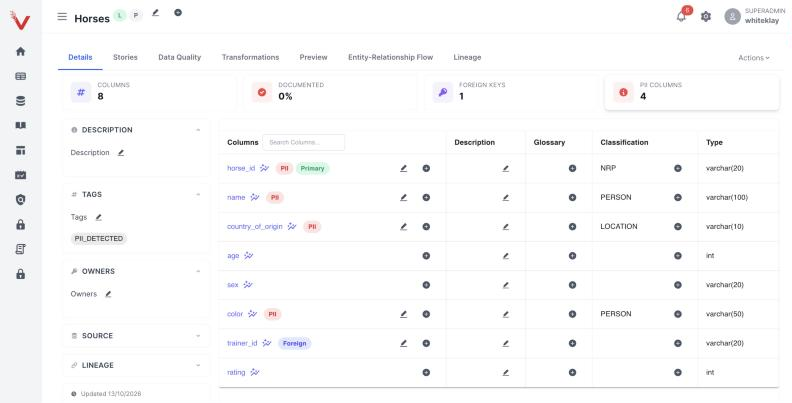
4. Governance & PII Badges: Automated tags identifying sensitive attributes (PII:IBAN, PII:NATIONAL_ID, CONFIDENTIAL).
5. Quality Score: Summary status of recent automated Great Expectations runs.
3. Asset Details View
Clicking any table or dataset opens the comprehensive Asset Details Workspace:
Schema & Data Types
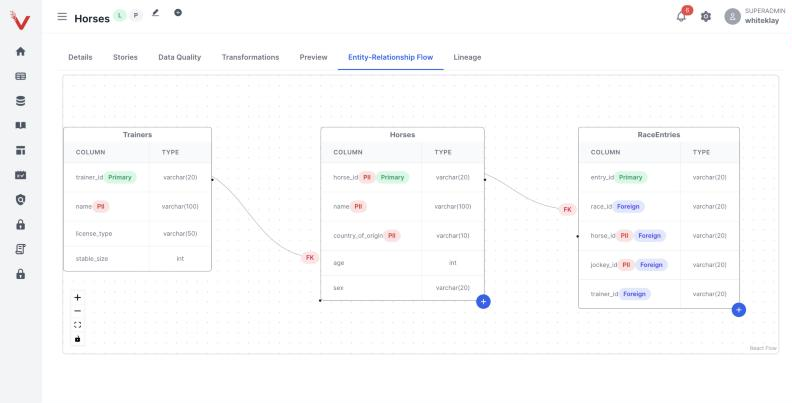
Inspect all columns, physical data types (VARCHAR2, NUMBER, TIMESTAMP), nullability constraints, and primary/foreign key flags. The Entity-Relationship Flow tab draws the foreign-key relationships between related tables:
PII & Named Entity Recognition (NER)
Sensitive columns are automatically labeled by the fine-tuned enterprise GLiNER Large model:
- IBAN & ACCOUNT_NUMBER
- NATIONAL_ID / PASSPORT
- PHONE_NUMBER & EMAIL
- CUSTOMER_NAME & ADDRESS
[!IMPORTANT] Columns tagged as PII or restricted by Policy-Based Access Control (PBAC) are automatically masked in result previews for users without explicit unmasking privileges.
Sample Data Preview
Preview live rows directly from the connected datasource:
- Queries are executed using secure service credentials with strict row limits (default: 50 rows).
- PBAC SQL firewalls intercept every query to ensure restricted columns are replaced with NULL or masked patterns before leaving the database layer.
Business Glossary & Tagging
View and attach business glossary terms to datasets or individual columns, bridging technical database fields with canonical corporate taxonomy (e.g., mapping BAL_AMT_LCY to "Account Balance in Local Currency").